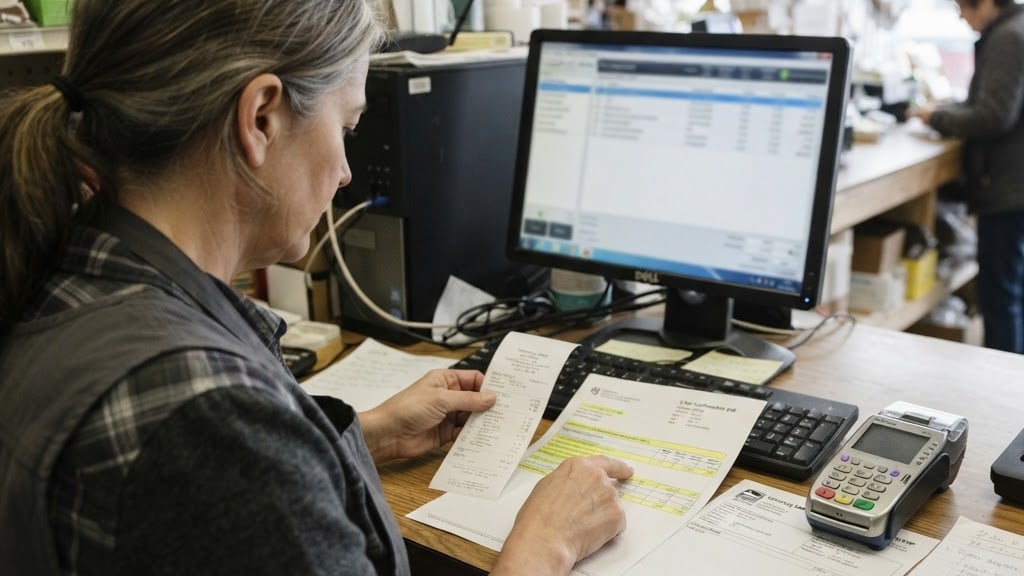
The Restaurant POS Buying Guide for 2026
This guide covers every restaurant POS feature you need and the extras you can safely skip.
Introduction
Your restaurant's point-of-sale system is the operational hub of your business. It takes orders, processes payments, manages inventory, tracks staff, and generates the reports you need to make decisions. Choosing the wrong POS system can lead to slower service, higher costs, and frustrated staff and customers.
With the rapid evolution of restaurant technology, 2026 brings new expectations: cloud-based systems, integrated online ordering, contactless payments, and data-driven insights. This guide walks you through everything you need to consider when choosing a restaurant POS system.
Why Your POS Choice Matters
A restaurant POS system does far more than ring up sales. It impacts:
- Order accuracy: A well-designed interface reduces misentered orders and kitchen errors.
- Speed of service: Fast, intuitive POS systems keep lines moving during peak hours.
- Payment flexibility: Tableside payments, contactless, and mobile wallets improve the guest experience.
- Inventory management: Real-time tracking prevents stockouts and reduces waste.
- Staff management: Time tracking, tip reporting, and role-based permissions streamline operations.
- Reporting and analytics: Sales data helps you optimize menus, staffing, and promotions.
Core Features to Look For
1. Table and Order Management
Your POS should handle:
- Table layouts and floor plans
- Split checks and merged tables
- Course firing (sending appetizers before entrees)
- Modifiers and special requests
- Hold and recall orders
2. Kitchen Display System (KDS) Integration
Orders should flow directly from the POS to the kitchen without manual entry. A good KDS:
- Routes orders to the right prep stations
- Tracks ticket times and sends alerts for delays
- Supports bump bars or touch screens
- Syncs with the POS in real-time
3. Payment Processing
Your POS should support:
- Contactless payments (Apple Pay, Google Pay)
- EMV chip cards
- Tableside payment with portable terminals
- Tip adjustment and autograt
- Gift card processing
4. Inventory Management
Look for systems that:
- Track ingredients, not just menu items
- Send low-stock alerts
- Generate purchase orders
- Report on food cost percentages
- Sync across multiple locations
5. Online Ordering Integration
In 2026, online ordering is essential. Your POS should:
- Accept orders from your website and app
- Integrate with third-party delivery platforms
- Manage online and in-house orders from one dashboard
- Route online orders to the kitchen automatically
6. Reporting and Analytics
Your POS should provide:
- Sales by hour, day, week, and month
- Menu item popularity and profitability
- Staff performance and labor cost reports
- Tax reporting and end-of-day reconciliation
Hardware Considerations
Your POS hardware should match your restaurant's workflow:
- Counter-mounted terminals: For quick-service and counter-pay restaurants.
- Portable terminals: For tableside ordering and payment at full-service restaurants.
- Kitchen display screens: Replace paper tickets in high-volume kitchens.
- Receipt printers: Thermal printers at each station and in the kitchen.
- Networking: Reliable Wi-Fi or Ethernet with 4G backup for uninterrupted service.
Integration Requirements
Your POS shouldn't operate in isolation. Look for integrations with:
- Accounting software: QuickBooks, Xero, or similar
- Loyalty programs: Customer retention tools
- Reservations: OpenTable, Resy, or similar
- Delivery platforms: DoorDash, Uber Eats, and others
- Marketing tools: Email and SMS platforms
What to Avoid
- Proprietary payment processing lock-in: Some POS systems require you to use their payment processor, often at higher rates. Look for systems that let you choose your processor.
- Overpriced hardware bundles: Don't overpay for hardware you don't need. Buy what fits your restaurant.
- No offline mode: If your internet goes down, your POS should still take orders and payments.
- Complicated interfaces: If staff need hours of training to use the system, it's the wrong system.
- Poor customer support: When your POS goes down during dinner rush, you need fast, reliable support.
Common Mistakes to Avoid
- Buying more than you need: Don't pay for enterprise features if you run a single location.
- Ignoring integration needs: Make sure the POS integrates with the tools you already use.
- Underestimating training time: Factor in staff training time and cost.
- Not reading the contract: Watch for long-term contracts, early termination fees, and rate increases.
- Forgetting about scalability: If you plan to open more locations, make sure the POS supports multi-location management.
Industry Examples
Full-service restaurants: A fine-dining restaurant implemented tableside ordering with portable terminals, reducing order errors by 40% and turning tables 15% faster. The integrated KDS eliminated paper tickets and improved kitchen communication.
Quick-service restaurants: A QSR chain integrated their POS with online ordering and third-party delivery, consolidating all orders into one dashboard. This eliminated the need for separate tablets at the counter and reduced missed orders.
Cafes and coffee shops: A cafe chose a cloud-based POS with inventory tracking, allowing them to monitor ingredient usage and reduce waste by 20%. The system's reporting identified their most profitable menu items, informing pricing adjustments.
Conclusion
Choosing the right restaurant POS system is one of the most important technology decisions you'll make. Focus on the features that matter to your restaurant type, ensure it integrates with your existing tools, and don't overpay for features you won't use.
Explore ONKORE's restaurant POS solutions and POS systems to find the right fit for your restaurant, or contact us for a free consultation.